
A professional-grade biscuit joiner that quickly mills form-locking grooves using an integrated mechanical drive, enabling tool-free insertion of hidden P-System connectors for fast, precise furniture and woodworking joints.
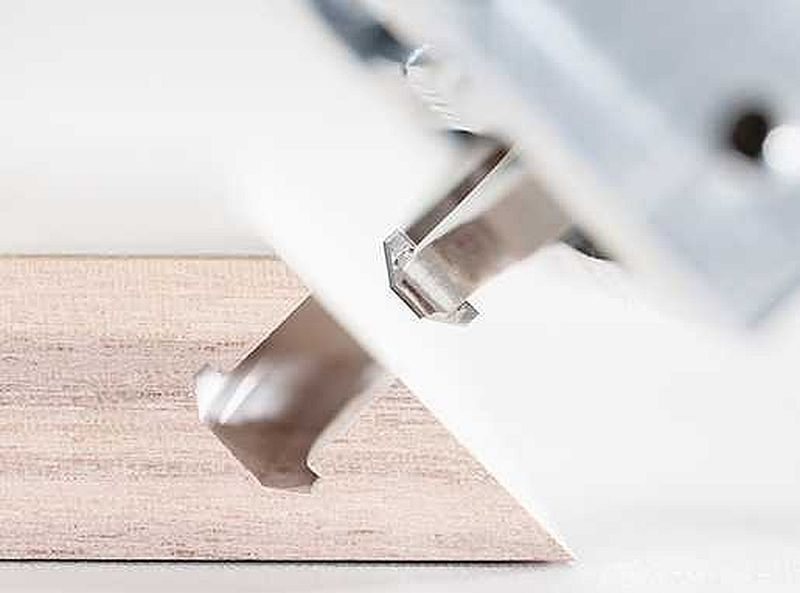
The Lamello Zeta P2 is a highly specialized biscuit joiner designed to cut precise “P-System” slots that accept Lamello’s form-locking connectors. While it resembles a traditional biscuit joiner in shape and function, it goes far beyond simple slot cutting. The Zeta P2 incorporates a patented vertical mechanical drive that automatically creates an undercut profile at the base of the slot the moment the cutter reaches its full plunge depth. This undercut allows the use of Lamello’s P-System connectors — strong, hidden, mechanical fasteners that eliminate the need for visible screws, clamps or glue in many applications.
Manufacturer: Lamello
Model: Zeta P2 with groove cutter HW
Price: $2,599.99 (corded model)
Warranty: 2 Years
Source: Find a Retailer
Features:
Motor: 1050 watts
Blade speed: 9,000 RPM
Teeth: Z3
Cutting depth: 20mm
Weight: 3.7 kg
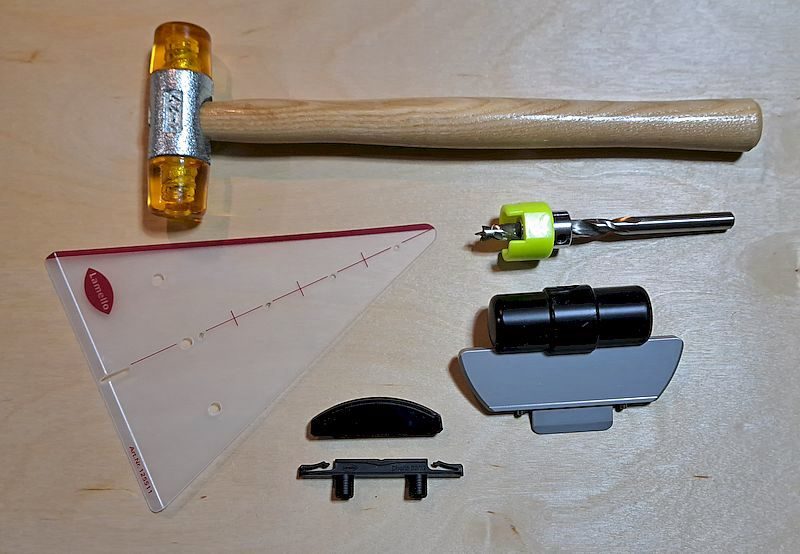
Includes: P-System carbide cutter, stop square, 36mm suction stub, 2mm and 4mm spacers, tool set, P-System drill jig and drill, Systainer.
The Zeta P2 is available as a corded and cordless model, and with either a carbide or diamond tipped cutter. A range of accessories is also available.
The core value of the Zeta P2 lies in its ability to produce clean, accurate, repeatable slots that make assembly extremely fast and precise. The tool can cut into solid wood, plywood, MDF, particleboard and even certain plastics, making it suitable for both professional cabinetmakers and dedicated hobbyists.
One of the major advantages of this system is that joints can not only be assembled quickly, if needed, they can be disassembled without damaging the workpiece. This makes it ideal for casework, modular furniture, shop displays and any project where production speed, accuracy and a clean appearance are essential. Although the tool is more expensive than a standard biscuit joiner, and the connectors themselves represent an ongoing cost, it’s high level of precision, speed and flexibility make it a worthwhile investment that pays for itself over time.
The Zeta P2 vs. other joinery systems
Zeta P2 vs. standard biscuit joiners: A conventional biscuit joiner cuts a simple crescent-shaped slot that accepts a glue-soaked wooden biscuit. While this adds alignment and some strength, it doesn’t create a mechanical lock — nor can the joint be disassembled. The Zeta P2, by contrast, cuts a specialized undercut slot that accepts a form-locking connector which provides actual structural engagement. Traditional biscuit joiners are inexpensive and ideal for alignment, but the Zeta P2 offers dramatically stronger and more versatile joints, especially for modular or knock-down furniture.
Zeta P2 vs. Festool Domino: The Festool Domino is often considered the benchmark for modern floating tenon joinery. The Domino creates extremely strong joints using loose tenons and excels in frame construction, chairs and load-bearing joinery. In my view, the Zeta P2 doesn’t replace the Domino in applications where structural strength is critical, but it surpasses the Domino when rapid assembly, invisibility of hardware and tool-free, glue-less construction are priorities. In production cabinetmaking or modular built-ins, the P-System’s speed can outperform the Domino, while the Domino remains superior for high-stress joinery.
Zeta P2 vs. dowel jigs and boring machines: Dowel systems create very strong, accurate joints and use inexpensive wooden dowels. They are excellent for cabinetry and furniture but require more setup time, clamping and glue. The Zeta P2 eliminates much of that workflow. Its connectors allow immediate assembly without clamping, and the tool is quicker to position than most dowel jigs.
Zeta P2 vs. traditional mortise-and-tenon joinery: Mortise-and-tenon joints remain the gold standard for strength and longevity in fine furniture. They offer unmatched durability, especially in chairs, tables and frames. The Zeta P2 isn’t intended to replace this kind of structural joinery. Instead, it provides an alternative system where speed matter more than centuries-long structural performance. Mortise-and-tenon is stronger; the Zeta P2 is far faster and cleaner.
Zeta P2 vs. pocket hole joinery: Pocket holes are inexpensive, fast and strong enough for many utility applications. They do, however, leave visible screws and often require plugs or paint to hide them. The Zeta P2 gives a cleaner appearance and is a better choice where aesthetics matter. Pocket holes win on cost; the Zeta P2 wins on appearance, precision and overall quality.
Getting familiar with the Zeta P2
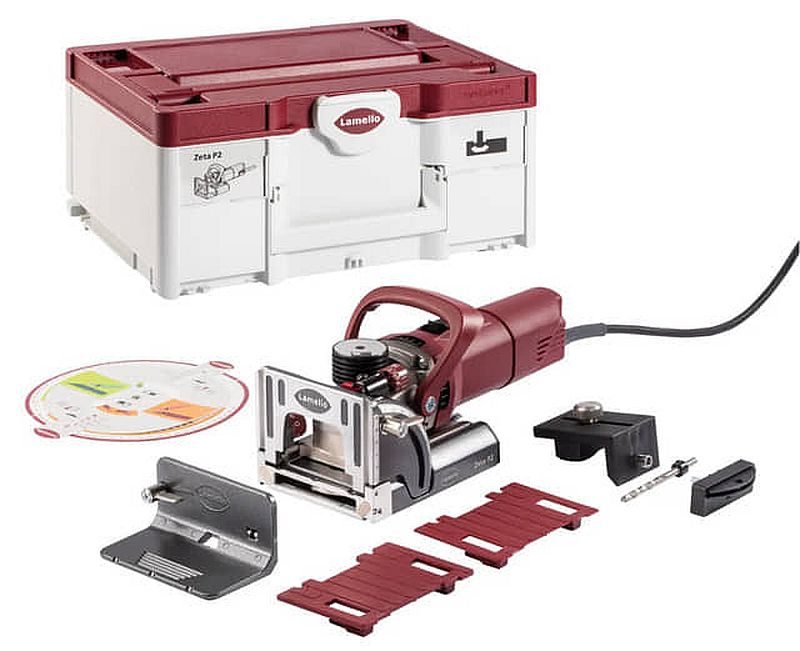
The Zeta P2 is available in both corded and cordless models, each supplied with everything you need to get started—except for the connectors, which are typically purchased separately. Lamello offers several Connector Assortment Kits that include a selection of different connectors, or you can buy connectors in dedicated packs ranging from about 80 to 1,000 units. Connector prices vary by type, averaging roughly $1.70 per piece for Tenso, $2.00 for Divario, and $3.00 for Clamex.
I found the Zeta P2 quick to get comfortable with. If you already have experience using a standard biscuit joiner you should be up and running in short order. The tool’s basic operation — plunging forward to cut a groove — will feel very familiar, and the P-System mechanism creates its form-locking slots in just a few seconds. When used as a conventional biscuit joiner, setup is equally straightforward: simply disengage the P-System’s vertical drive and install a standard 4 mm groove cutter. That said, I still recommend reading the documentation that comes with the tool and watching the videos on Lamello’s YouTube channel, which clearly demonstrate using the Zeta P2 and its various connectors.
After a handful of test cuts, the Zeta P2 became intuitive to use. The only part that required a bit of practice was learning the correct feed rate. On plywood and softwoods the cutting action is very quick, but on dense hardwoods the automatic vertical movement slows down, so steady, controlled pressure is important to avoid chatter and to produce clean, consistent grooves. Learning to use the full P-System workflow — such as depth adjustments, connector selection, and working at angles — does require an investment of practice time, but the process becomes second nature once you’ve made some practice joints.
I did find that my thumb frequently slipped when turning the motor power switch on or off. I also found that it’s important to keep the face of the tool flush to the work surface — if you’re not careful, it’s easy to tilt the tool, which can result in the cutter entering at a slight angle. And, at 3.7 kg (8.1 lbs), the Zeta P2 can be tiring to use over long periods.
The P-System connectors
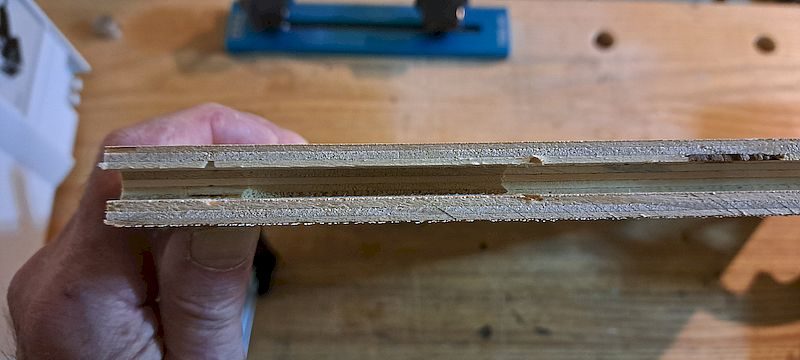
The Zeta P2 is designed primarily for Lamello’s “P-System”, which relies on specially shaped profile grooves and matching connectors. To create these slots, the tool uses a 7 mm profile groove cutter, and its built-in vertical mechanical drive automatically plunges and oscillates the cutter to form the P-System groove in one motion.
When switching to standard wooden biscuits, such as traditional 4 mm-thick styles, the setup changes slightly. You simply turn a knob to deactivate the P-System’s vertical drive and then swap the 7 mm profile cutter for a 4 mm groove cutter — the same style of blade used in a conventional biscuit joiner. Switching cutters is very fast. This ability to alternate between P-System connectors and standard wooden biscuits increases the functionality of the tool.
There are three styles of P connectors available in various sizes. Each has a male and female part, which, when assembled, connect together.
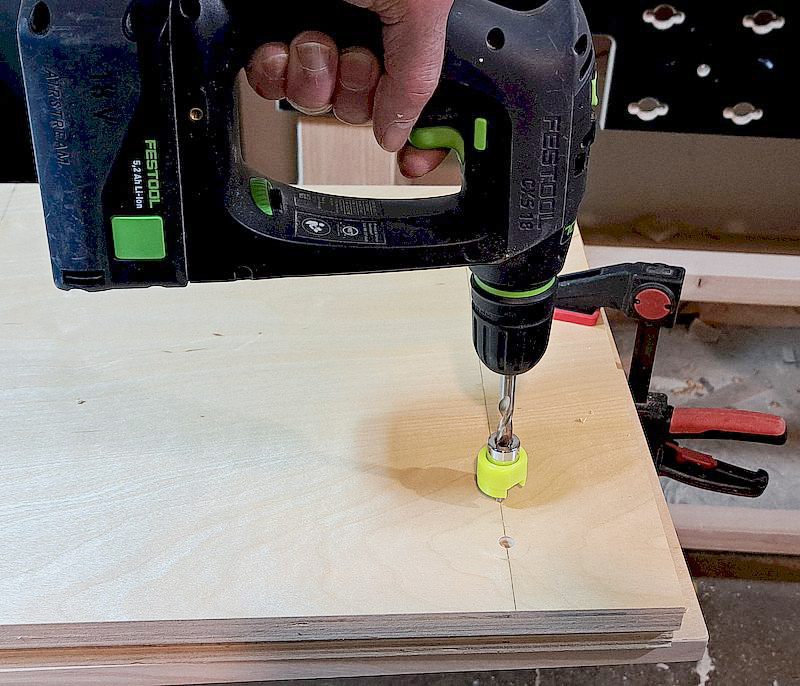
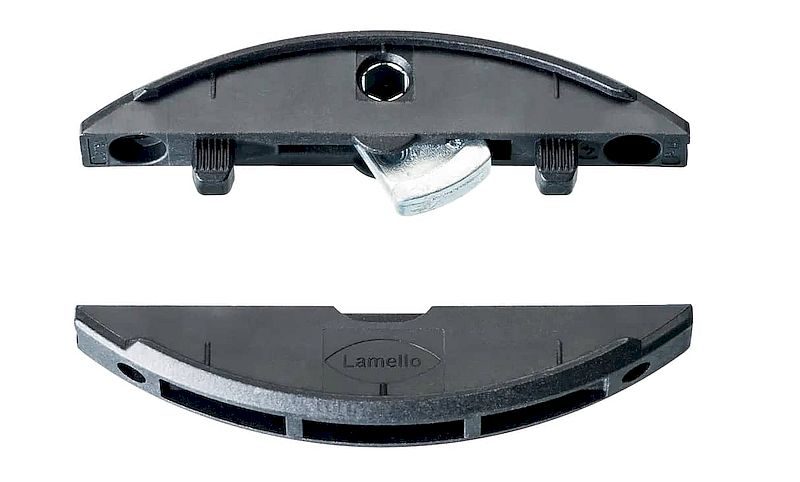
Clamex P: This is the connector to use when you want a strong, removable joint or assemble mitred boxes and flat-pack furniture. Use it for aesthetic mitres, butt joints and knock-down fittings where you might want to disassemble or ship flat-packed pieces. It requires you to drill an access hole to manually join the connectors. When assembled the connector generates up to 200 pounds of clamping pressure.
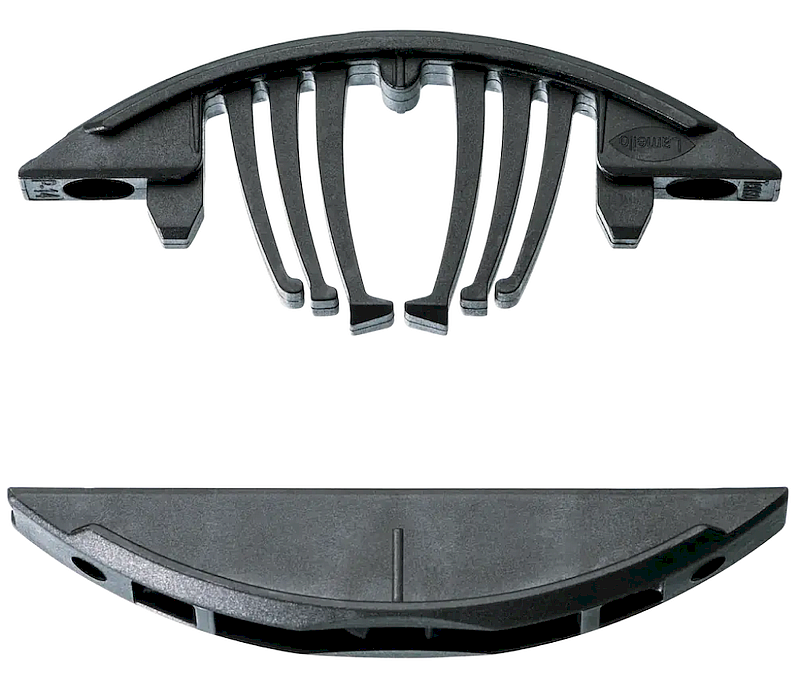
Tenso P: Use this one when you want the connector to act as your clamp during glue-up so you get a tight, invisible glued joint. It’s a self-clamping connector that pulls parts tightly together during glue-up so you don’t need separate clamps, which makes it perfect for quick edge and corner glue-ups or when you need clean, clamp-free assembly. It generates up to 30 pounds of clamping pressure.
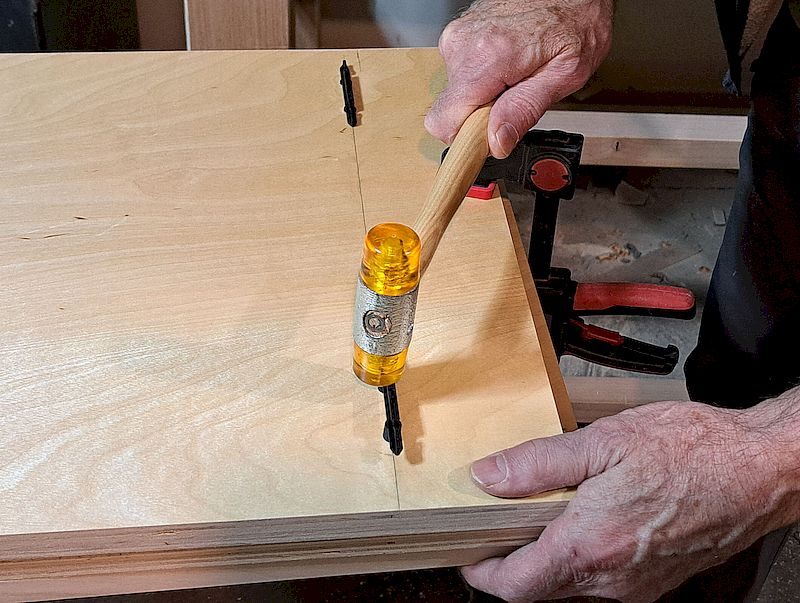
Divario P: When you want to attach shelves or vertical panels invisibly inside a carcass this is the connector to use. It’s a slightly deeper connector that sits inside the panel and lets you fit/remount shelves or divisions without visible hardware, making it perfect for shelving, bookcases and cabinet divisions.
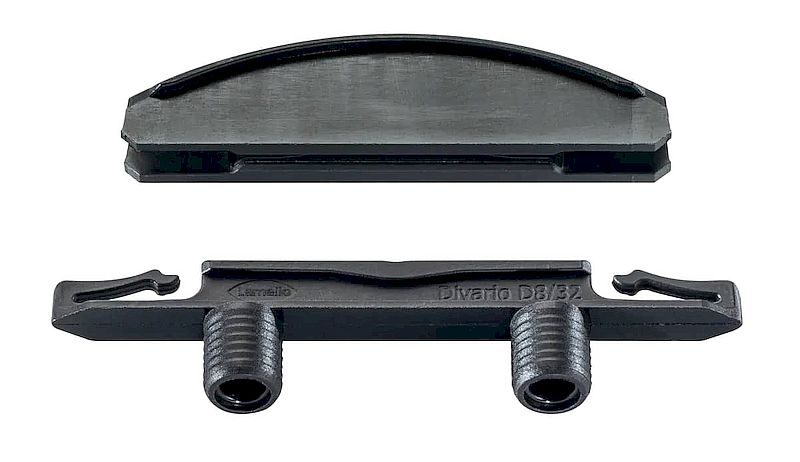
The Clamex and Tenso require a 14 mm-deep groove when cut into the edge of a panel, with surface cuts typically limited to 10 mm, and it works best in material that’s at least 15 mm thick for butt joints and approximately 18 mm thick for mitred joints. The Divario uses an 18 mm groove and it typically requires material that is at least 18 mm thick.
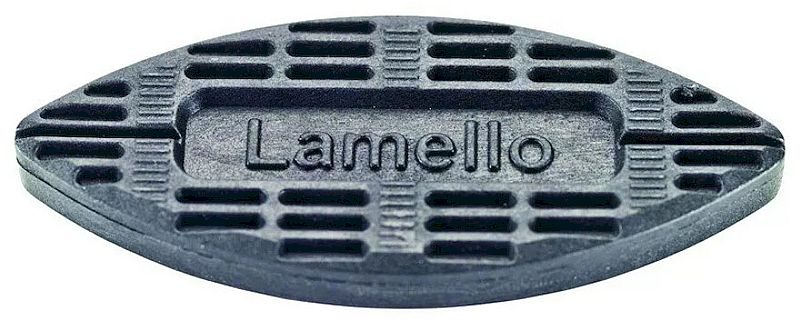
There is also a 7mm thick Bisco P plastic biscuit that fits into P-System grooves which can be used for test fitting joints. The Zeta P2 can also be used with traditional wooden biscuits by simply replacing the profile cutter with a 4 mm “groove cutter”.
Using the Zeta P2
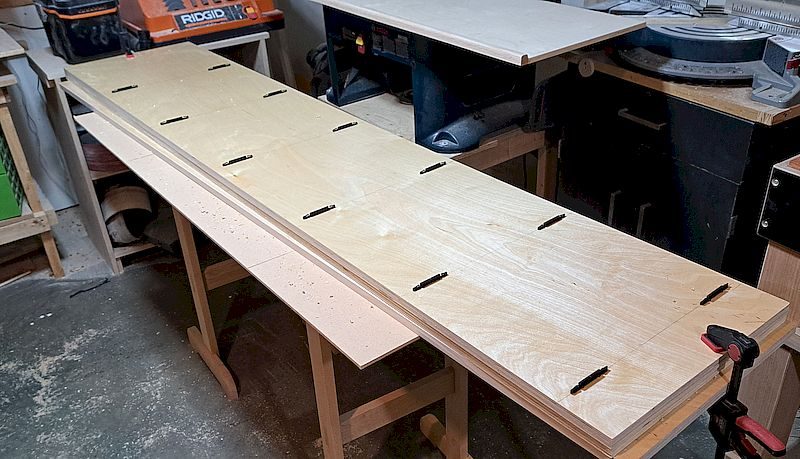
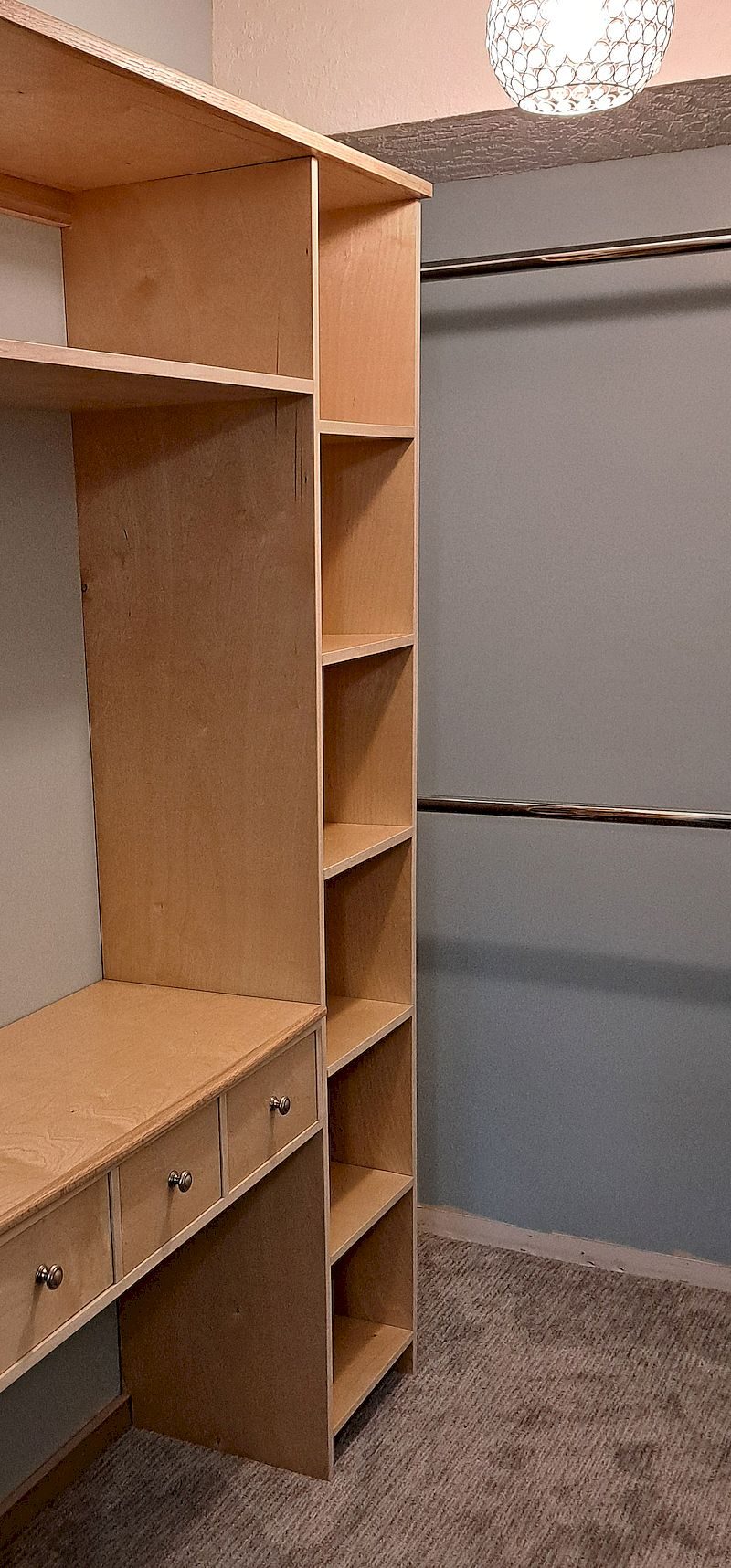
I used the Zeta P2 on a recent closet organizer build. For this project I mostly used the Divario P connectors, as they make it super easy to install shelves into uprights. Here are some of the things that I learned using the Zeta P2
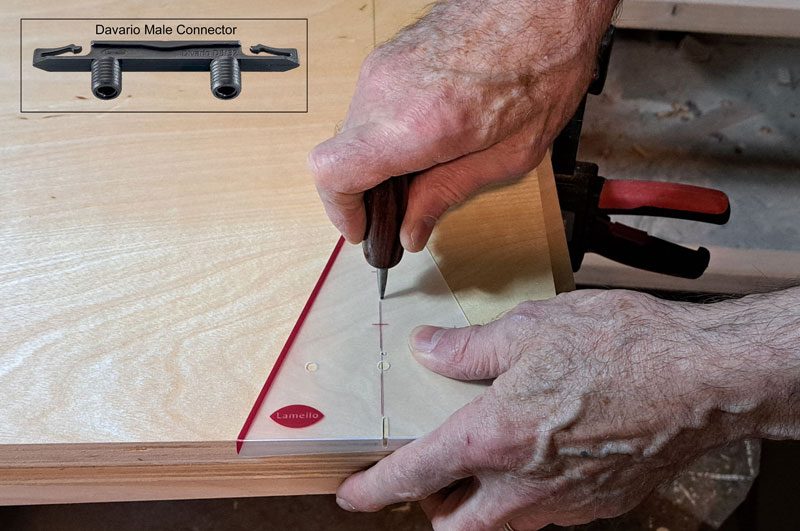
Marking reference faces: You’ll want to clearly mark the reference face of each workpiece — the side that rides against the Zeta P2 fence. This keeps the offsets consistent, especially if several joints run along the same edge. A sharp pencil mark, a piece of painter’s tape or a carpenter’s triangle helps you keep everything aligned.
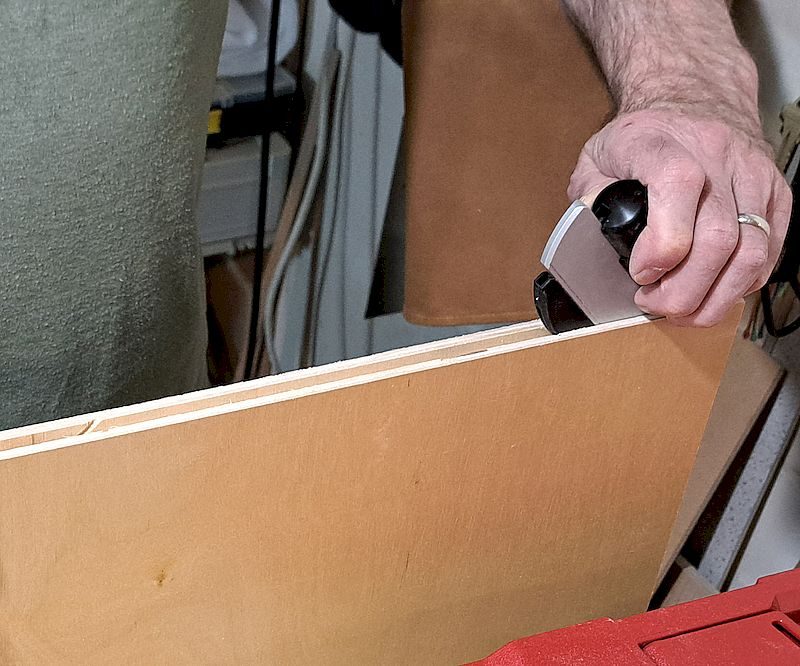
Setting connector height (fence setting): When you lower the swivel stop fence to the 90° setting it cuts a slot approximately in the middle of a 3/4″ sheet of ply (about 9mm from one surface). If you use material of a different thickness attach the stop square to the fence — you can then adjust the cutting depth. You want to set the Zeta P2’s fence height so the cutter will place the groove in the centre — or slightly above centre — of the panel thickness. Centering the groove ensures maximum strength and helps the connector pull the two parts together evenly.
Marking connector positions along the joint line: You want to space connectors evenly along the joint depending on the size of the panel. On the narrow 16″ deep shelves of my project I placed a connector on either end. However, for wider panels you’ll need to install additional connectors — about every 8″ to 10″ should work fine to prevent racking and ensures the joint pulls together flat.
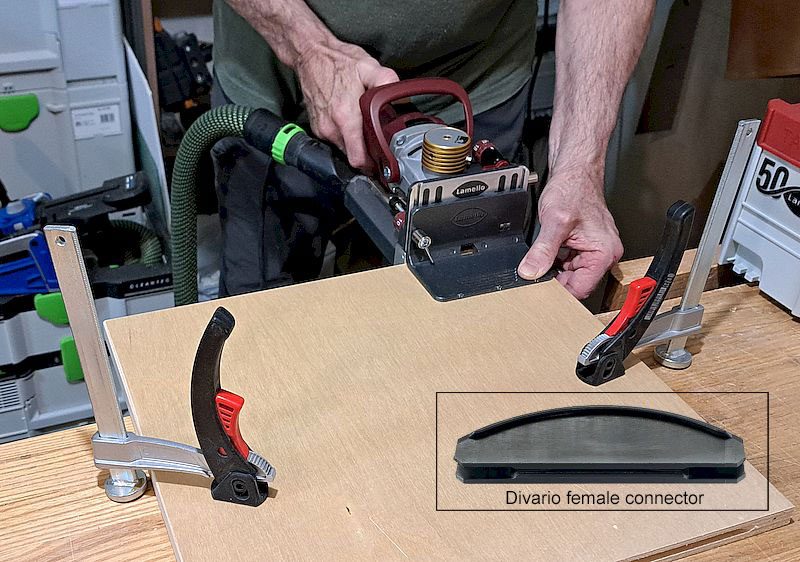
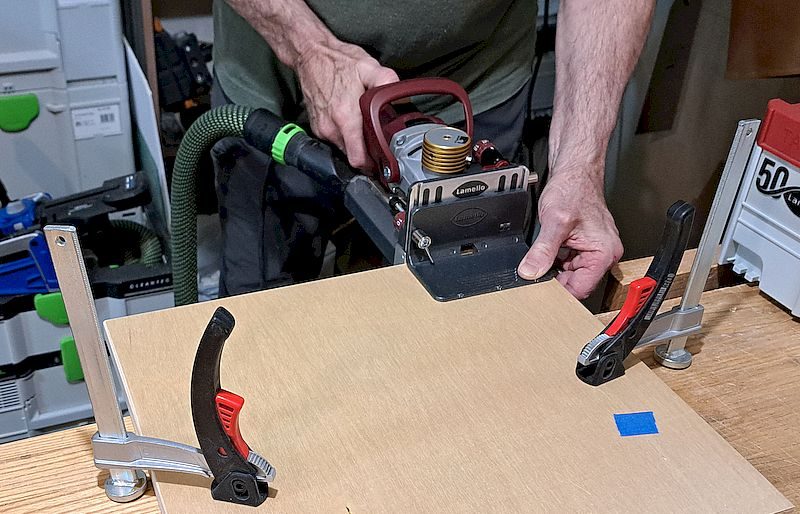
Cutting the grooves: You want to keep the Zeta P2 fully seated and stable before you plunge so the oscillating cutter forms a clean pocket. For small stock (and when making a mitred joint or cutting a slot for a Divario connector), its a good idea to secure the material with clamps or hold-downs.
Test-fitting: Especially when you’re just getting used to the Lamello system it’s a good idea to test fit. This is where the Bisco P connectors come in handy — they’re the same as standard wooden biscuits, though thicker, and make it quicker and easier to assemble and take apart pieces. Insert a Bisco P biscuit into one groove and bring the mating part into position. This will enable you to ensure the pieces register flat and the spacing feels right. It takes only a minute and it’ll prevent mistakes before glue or fasteners enter the equation.
In summary
I think the Zeta P2 is a strong fit for hobbyist woodworkers who build furniture or cabinets on a regular basis, value precise alignment and strong joints, and are willing to invest in tools that improve both quality and efficiency.
That said, the woodworkers who are likely to benefit most from the Zeta P2 are professional cabinetmakers and furniture makers working in production settings or on high-quality custom projects, where precision, speed and repeatability are essential and premium tooling is justified.